05 · AppsCode · Product Design
Platform Console
Every AppsCode (opens in a new tab) console depends on one question: who are you, and what may you do here? The Platform Console answers it, for one person, for a team and for a whole self-hosted platform. I own its UI: the structure, every flow and screen, and the Vue code behind them.
- Sign-in for every AppsCode console
- 1Sign-in for every AppsCode console
- Kinds of sign-in source: LDAP, SMTP, PAM, OAuth2
- 4Kinds of sign-in source: LDAP, SMTP, PAM, OAuth2
- Days to bring back a deleted account
- 30Days to bring back a deleted account
- Designer
- Mohin Uddin
- Role
- Product Design, Information Architecture, UI Engineering
- Timeline
- AppsCode · ongoing
- Technology
- Vue 3, Nuxt, Tailwind CSS v4, Figma, AppsCode Design System
- Shipped at AppsCodein production consoles
- Real screenssensitive values blurred
- Design and UI code by meAPIs by the engineering team
My role
- I own the console’s UI end to end: how personal, organisation and platform settings are split, every flow and state, and the Vue UI code.
- Me, with 3–4 engineers who connect the APIs and data
- Ongoing, day by day, across my 7 years at AppsCode
At a glance
- 01 · The problem
Clusters and databases were reachable, but who could reach them was decided one person and one cluster at a time.
Read the problem - 02 · The approach
Identity is invisible when it works, so I designed it to stay out of the way and speak up only when something is at risk.
See the approach - 03 · The result
One sign-in now reaches every console, and access is managed by team instead of by person.
See the result
01 · Challenge
Clusters and databases were reachable, but who could reach them was decided one person and one cluster at a time.
- Access was granted person by person, so it drifted as people joined, changed teams and left.
- Cloud keys and tokens were pasted wherever they were needed, and nobody could see or revoke them in one place.
- Companies running the platform themselves had no screen for their own users, sign-in sources or upgrades.
BeforeAccess, person by person
# one person, one cluster, one binding
kubectl create rolebinding alice-view \
  --clusterrole=view --user=alice -n demo
# again for every cluster …
# … and remember to remove it
# when alice leavesAfterAccess, by team
Organisation › Teams
  Owners    Admin
  Editors   Write
  Viewers   Read
  DBAs      Custom role

Join a team     → access everywhere
Leave the IdP → access gone everywhere02 · Users
Three people open this console, at three levels.
Every user
Sign in once, keep the account secure and give scripts their own tokens.
What got in the way Separate logins per console, and no view of active sessions or tokens.
Organisation owners
Add people, group them into teams and decide what each team may do.
What got in the way Granting access one person at a time, and missing someone when they left.
Platform administrators
Run a self-hosted platform: users, sign-in sources, sign-up, branding and upgrades.
What got in the way Needing database access or the command line for every account change.
03 · Thinking
Identity is invisible when it works, so I designed it to stay out of the way and speak up only when something is at risk.
Rule 01
One account, every console
The same sign-in and account switcher appear in every console, so people always know which account they are acting in.
Rule 02
Grant by team, not by person
Permissions belong to teams and roles; adding someone to a team is the whole job.
Rule 03
Every secret revocable on its own
Tokens, OAuth apps and cloud credentials each have a name, an expiry and their own delete, so one leak never means resetting everything.
Rule 04
Nudge, don’t block
A missing safeguard, like two-factor, shows in amber on the overview instead of stopping people at the door.
04 · Overview
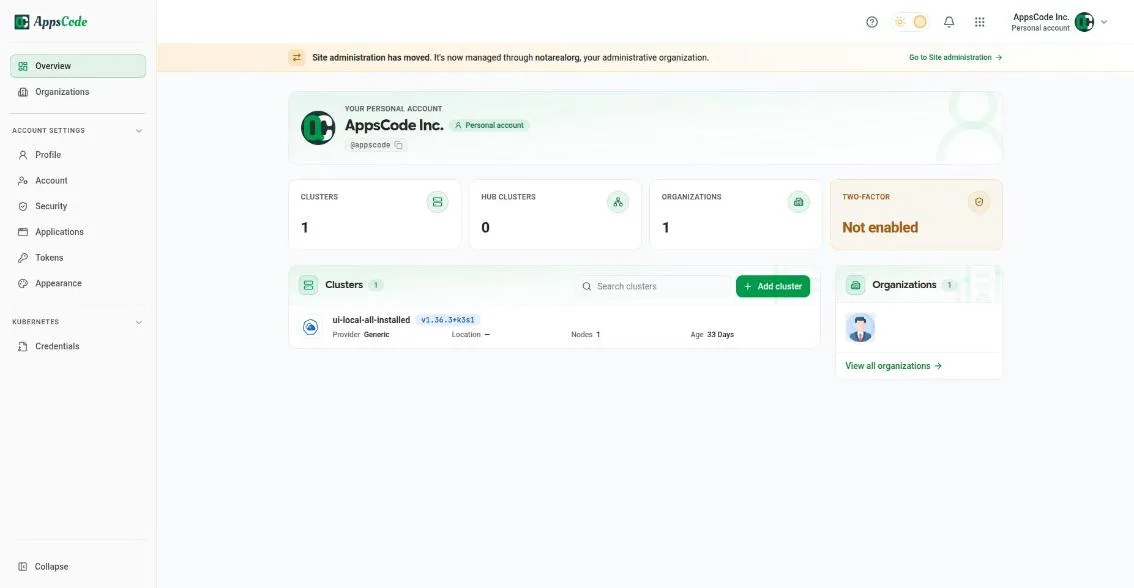
The first page answers “what can I reach, and is my account safe?” in one glance.
05 · Access
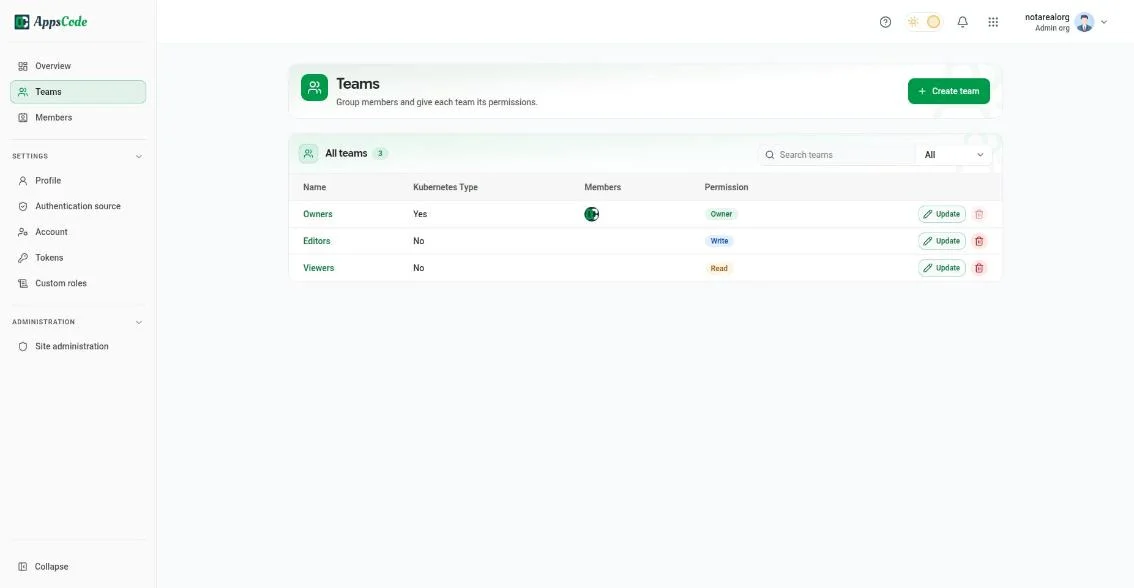
Teams and roles carry permissions, so access follows people as they join, move and leave.
- Owners, editors, viewers or a custom role: each team gives its members one permission level.
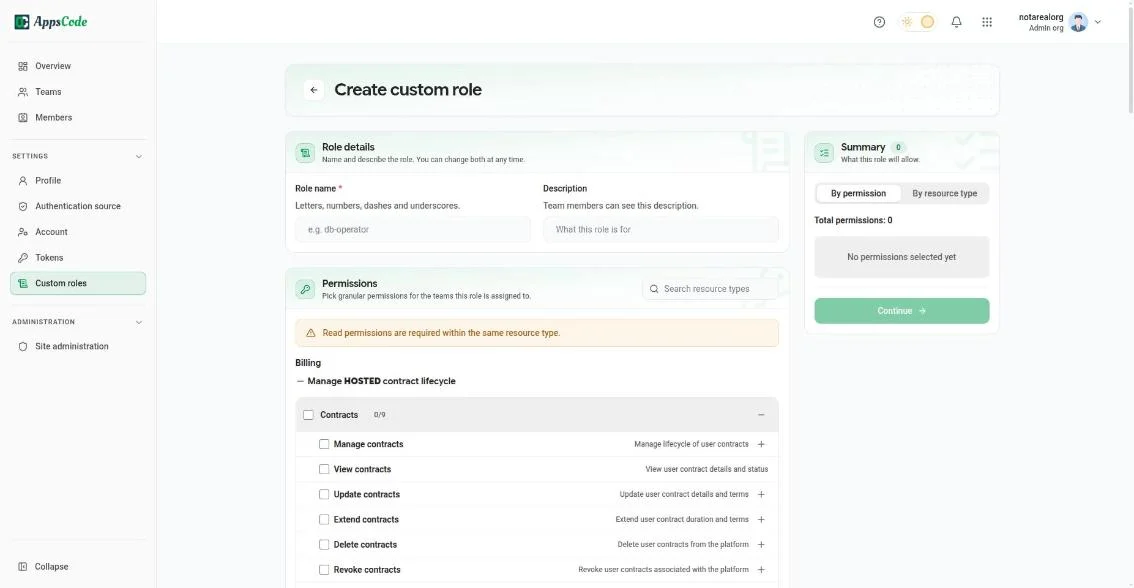
- Custom roles pick fine-grained permissions, with a live summary of what the role allows before it’s saved.
- An organisation can connect its identity provider, so people sign in with the account they already have and lose access when they leave.
06 · Security
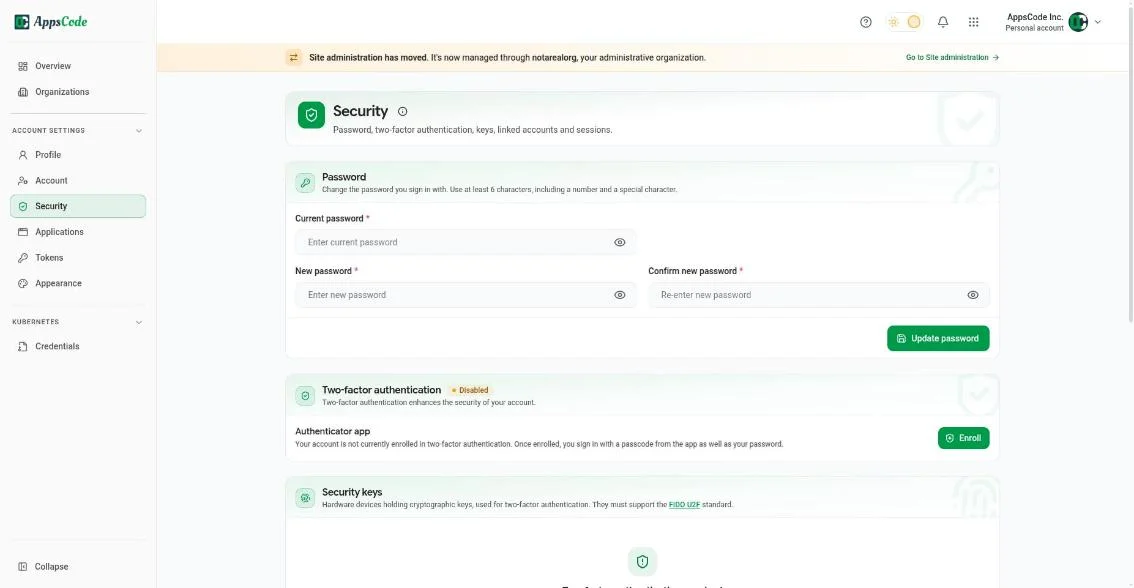
The account reaches production, so its safety settings are plain, and every key can be revoked on its own.
- Password, two-factor and hardware security keys sit on one page.
- Tokens show their expiry and last activity, and each one is deleted without touching the others.
- Cloud credentials are stored once and picked by name when a cluster is imported, never pasted again.
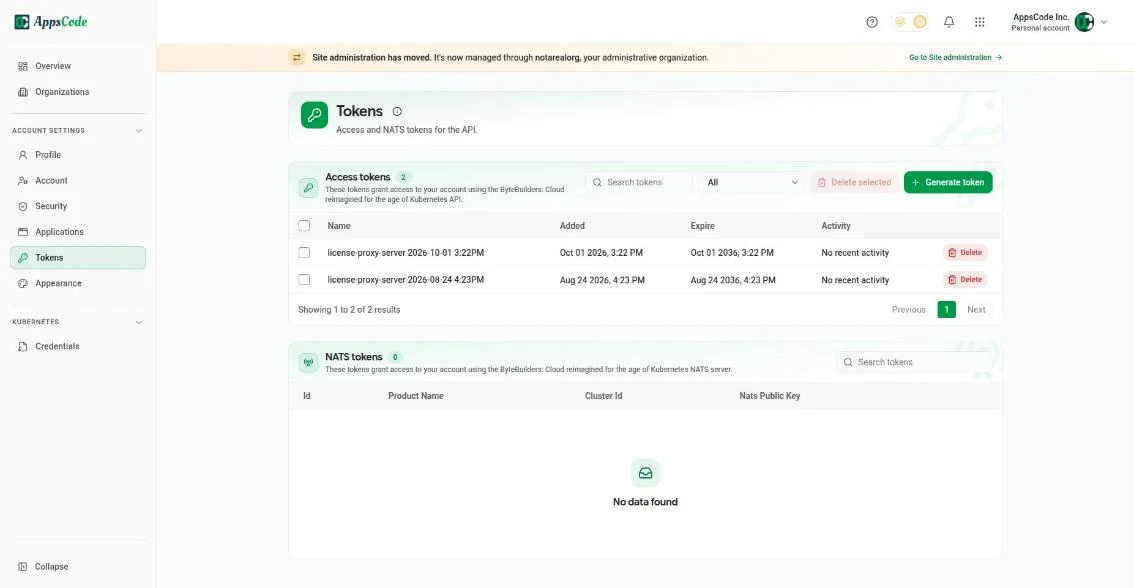
07 · Administration
Self-hosted platforms get their own admin area, so no account change needs a database or a terminal.
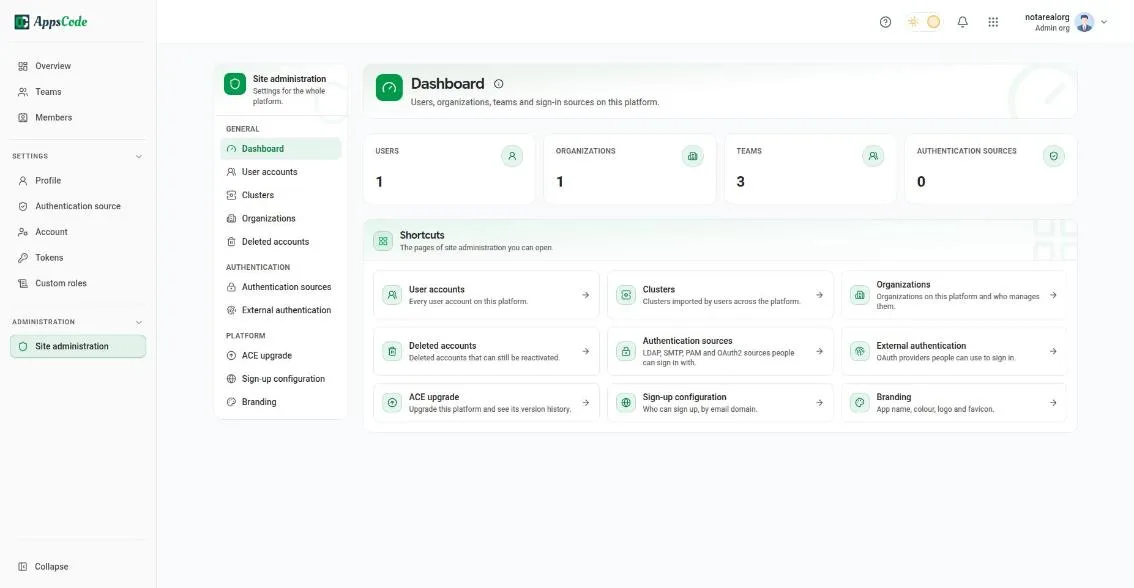
08 · Control
Admins decide once who can join, how the platform looks and what happens to accounts that leave.
- Sign-up can be limited to company email domains, or turned off.
- Branding sets the app name, colour, logo and favicon, so the platform looks like the company’s own product.
- Deleted accounts can be reactivated for 30 days before a purge task removes them.
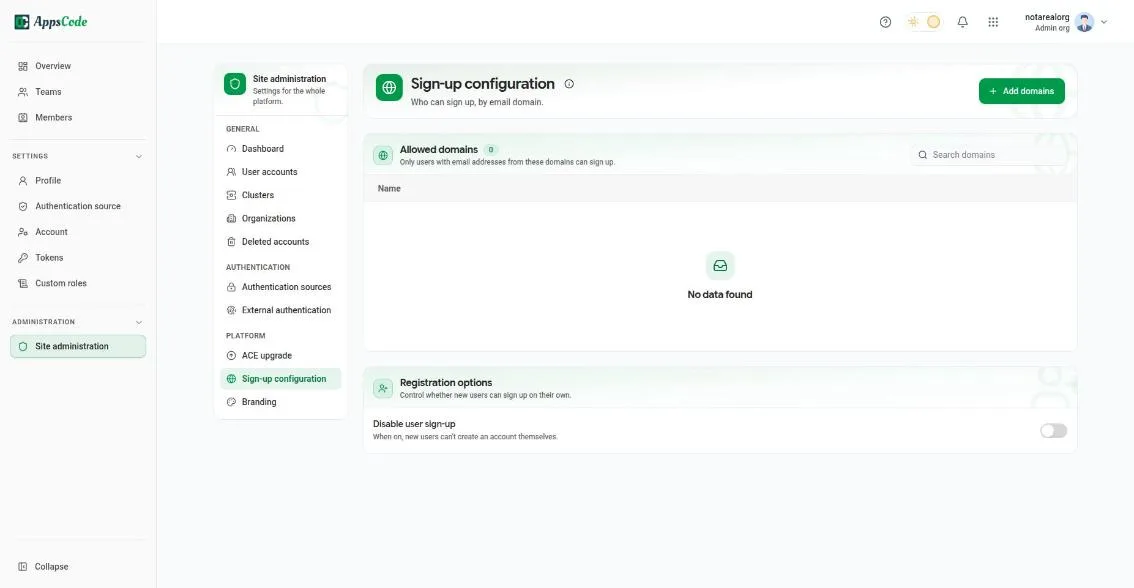
Sign-up configuration: limit sign-up to company email domains, or turn self sign-up off 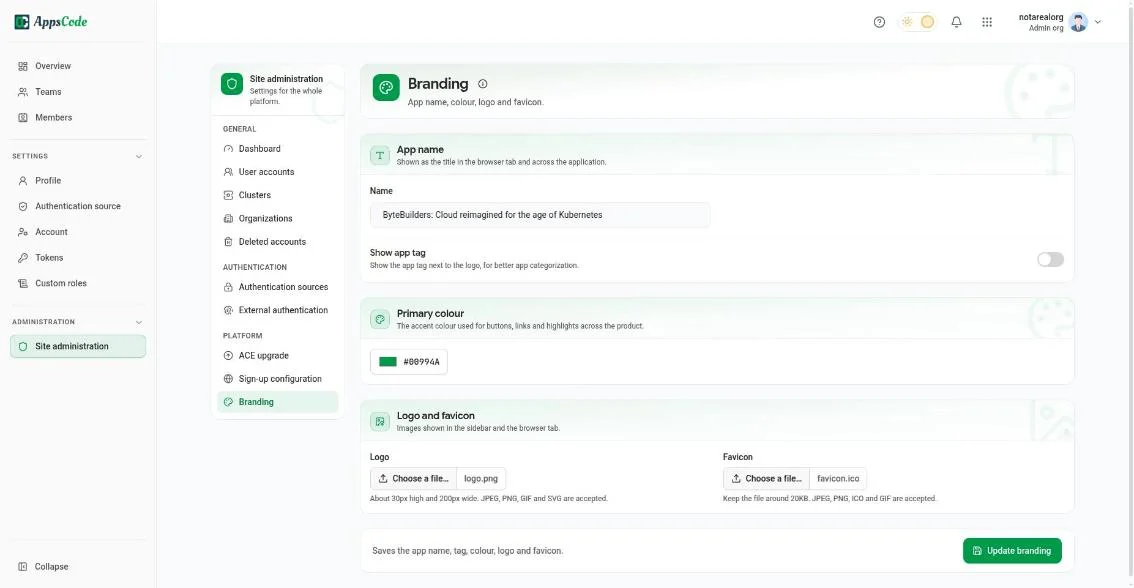
Site administration, Branding: app name, primary colour, logo and favicon 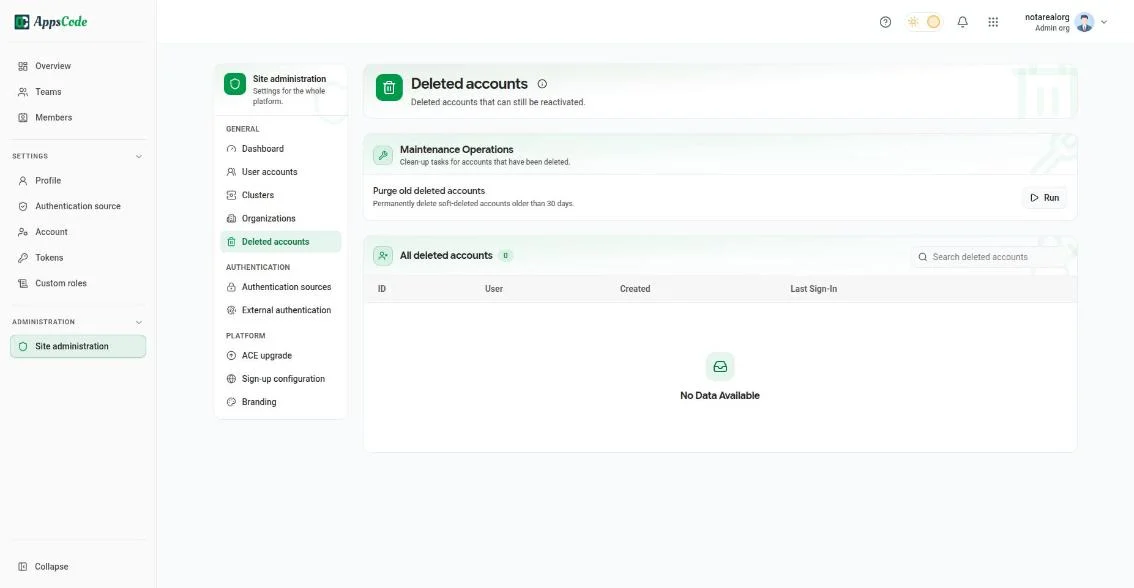
Deleted accounts that can still be reactivated, and a purge task for those older than 30 days 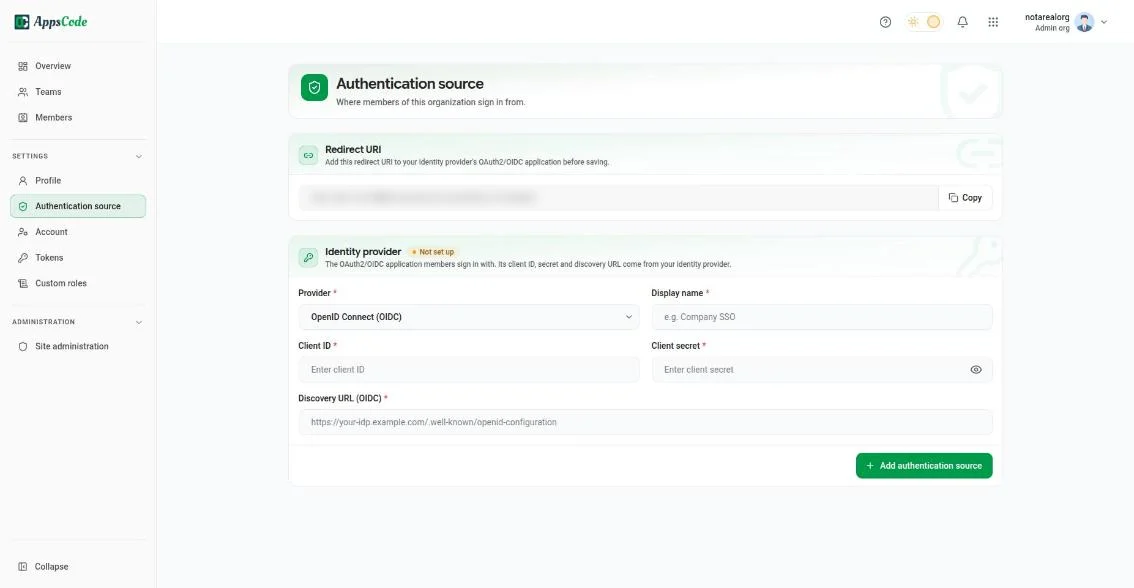
Authentication source: connect the company’s identity provider with OpenID Connect (the redirect URI is blurred)
09 · Outcome
One sign-in now reaches every console, and access is managed by team instead of by person.
- People switch between accounts and consoles without signing in again, and always see which account they are in.
- Organisation owners manage access through teams, roles and their own identity provider.
- Self-hosted platforms are run from the browser: users, sign-in sources, sign-up, branding and upgrades.
- What I learned: security settings get used when they’re explained in plain words and sit where people already look.
From the person who managed this work
“Mohin is not only a talented UI/UX engineer, but also a team player and communicator. He used various tools and methods to conduct user research, create wireframes and prototypes, test usability, and implement feedback.”